You click, the screen reacts. It feels instant, but it is not.
Every mouse adds a small delay called mouse input lag. On a decent gaming mouse it is only a few milliseconds. On a cheap office mouse or a Bluetooth connection it can be noticeably more.
Curious what your setup scores? Take the free VoltReflex reaction time test, then read on to see how much of that number comes from your mouse.
Key takeaways
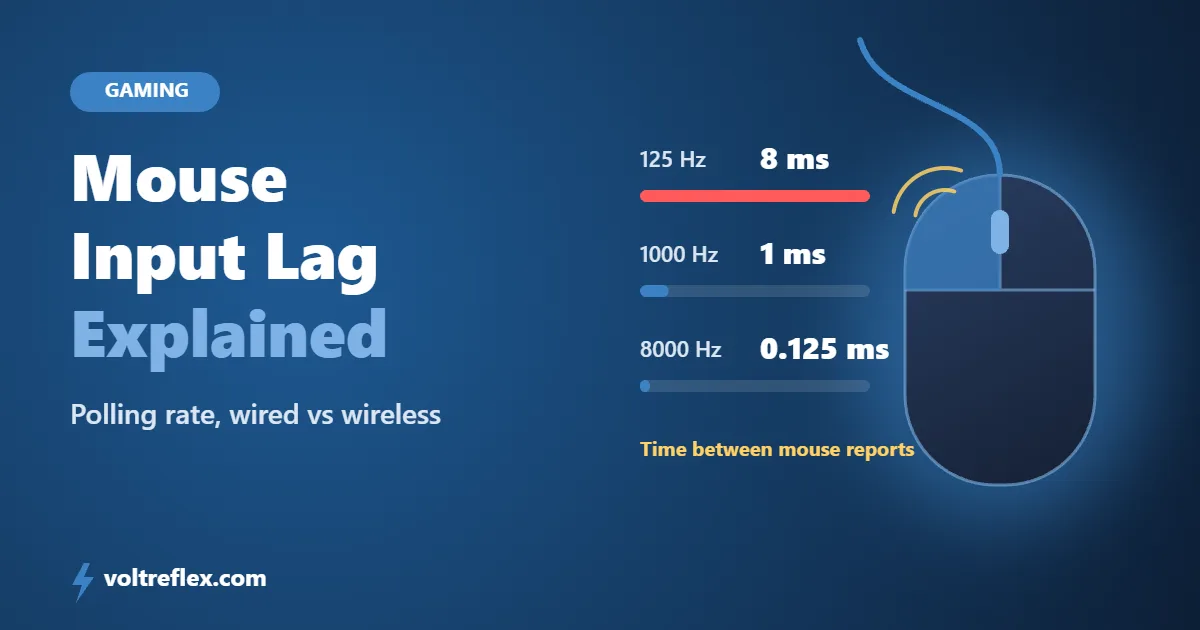
- At 125 Hz a mouse reports every 8 ms. At 1000 Hz it reports every 1 ms.
- Going above 1000 Hz saves less than 0.5 ms on average.
- Gaming wireless with a USB receiver is close to wired. Bluetooth is slower.
- Your monitor, browser and focus usually matter more than your mouse.
What Is Mouse Input Lag?
Mouse input lag is the time between pressing the button and your computer knowing about it. It is one link in a longer chain.
Click
Your finger presses the switch inside the mouse.
Mouse firmware
The mouse confirms it was a real click and gets the report ready.
Polling
The computer asks the mouse for news at a fixed rate. Your click waits for the next check.
Computer and browser
The system passes the click to your game or browser.
Result
The game registers the click and the timer stops.
The part you can control most easily is step 3, the polling rate.
Polling Rate and Input Lag
Polling rate is how often your mouse reports to the computer, measured in hertz. Higher means less waiting.
Because a click can land anywhere between two reports, the average wait is about half the gap.
| Polling rate | Report every | Average wait | Verdict |
|---|---|---|---|
| 125 Hz | 8 ms | About 4 ms | Office mouse |
| 500 Hz | 2 ms | About 1 ms | Good |
| 1000 Hz | 1 ms | About 0.5 ms | Sweet spot |
| 4000 Hz | 0.25 ms | About 0.13 ms | Tiny gain |
| 8000 Hz | 0.125 ms | About 0.06 ms | Tiny gain |
The big win is moving from 125 Hz to 1000 Hz. After that, the gains are real but very small.
Wired vs Wireless vs Bluetooth
Wired
Simple and reliable. Most gaming mice run at 1000 Hz or more over a cable.
Wireless with a USB receiver
Modern gaming mice that use their own 2.4 GHz receiver usually match wired polling rates. For most players the difference is too small to feel.
Bluetooth
This is where lag creeps in. According to the Bluetooth SIG, the minimum Bluetooth LE connection interval has been 7.5 ms, which works out to about 133 updates per second.
That is close to an old 125 Hz office mouse. Newer Bluetooth features with shorter intervals aim to fix this, but most mice today do not support them yet.
"For fast games and reaction tests, use the USB receiver, not Bluetooth. It is the easiest few milliseconds you will ever save."
How Much Does It Change Your Score?
Less than you might think. Your mouse is only one source of delay.
A large study of 1,469 adults found that correcting for hardware delay dropped the average reaction time from 231 ms to 213 ms. That 18 ms came from the whole setup, not just the mouse.
A 2020 timing study also notes that standard USB keyboards can add 20 to 40 ms, and that browser and system combinations each add their own lag.
| Source of delay | Typical extra time |
|---|---|
| 125 Hz mouse vs 1000 Hz | About 3.5 ms on average |
| 60 Hz vs 240 Hz monitor | About 6 ms on average |
| Standard USB keyboard | 20 to 40 ms |
| Tiredness or poor sleep | Often far more than all of the above |
The monitor figures come from our guide on monitor refresh rate and reaction time. For how browsers affect timing, see how accurate online reaction time tests are.
Test yourself Do 20 rounds of the reaction time test with your mouse on Bluetooth, then 20 rounds on the USB receiver or cable. Compare the averages, not single clicks.
How to Cut Mouse Input Lag
- Set polling to 1000 Hz in your mouse software. It is often lower by default.
- Use the USB receiver or a cable instead of Bluetooth for gaming and testing.
- Keep the receiver close. A short USB extension on your desk can help the signal.
- Use the same browser every time you test, since lag differs between browsers.
- Fix the bigger delays too. A faster monitor and better sleep often help more.
Want to train the human side? Read how pro players train their reflexes.
Compare like with like A score on a Bluetooth mouse and a laptop screen is not comparable to one on a wired mouse and a 240 Hz monitor. Change one thing at a time when you test.
Frequently Asked Questions
What is mouse input lag?
Is 1000 Hz polling rate enough?
Is a wireless mouse slower than a wired one?
Does mouse input lag affect my VoltReflex score?
How can I check my mouse polling rate?
Does Bluetooth add a lot of lag?
The Bottom Line
Mouse input lag is real but usually small. Moving from 125 Hz to 1000 Hz saves about 3.5 ms, and skipping Bluetooth saves a few more.
Past that, your monitor, browser and your own focus matter more. Set your mouse up once, then test your reaction time and compare with the benchmark data.
VoltReflex results are for entertainment and self-benchmarking, not a medical diagnosis.