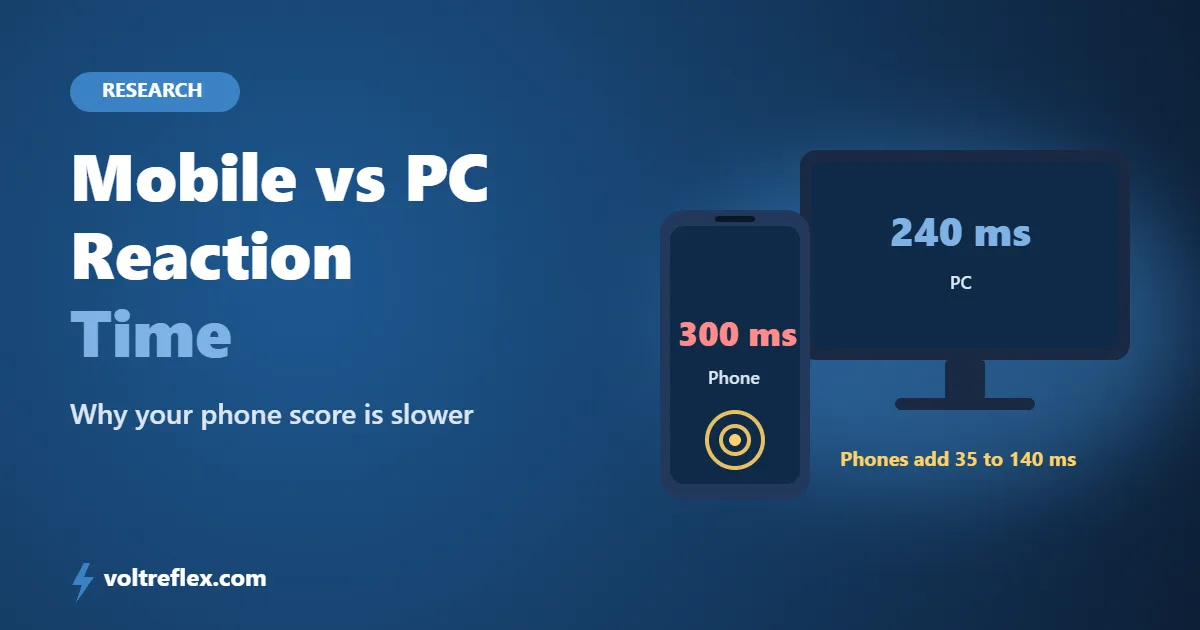
Here is a common story. Someone scores 240 ms on their computer, then tries on their phone and gets 300 ms.
Did they get slower? Almost certainly not. In mobile vs PC reaction time tests, the phone adds its own delay, and research shows it can be anywhere from 35 to 140 ms.
Want to see the gap yourself? Take the free VoltReflex reaction time test on both devices and compare.
Key takeaways
- Smartphones add 35 to 140 ms of device delay from the screen and touch sensor.
- In a study of almost 60,000 people, mobile users scored slower than laptop and desktop users.
- A 120 Hz phone screen cuts the average display wait from about 8 ms to 4 ms.
- Only compare scores taken on the same device.
Is Mobile Reaction Time Slower Than PC?
Yes, on average. And the reason is mostly the hardware, not you.
Researchers built a robot to tap 26 popular smartphones and measure their delays. Total device delay, display plus touch, ranged from 35 ms to 140 ms. That is a huge spread for the same human finger.
A second study looked at 59,587 people taking online tests. Mobile users, particularly on Android, were significantly slower on reaction time tests than people on laptops and desktops.
Where the Extra Delay Comes From
A tap on glass goes through more steps than a mouse click.
Finger moves
You lift and move your finger to the glass. A mouse button is already under your finger.
Touch scan
The touchscreen checks for contact at a fixed rate, then confirms the tap.
Phone and browser
The operating system passes the tap to the browser, which registers it.
Screen refresh
The signal you react to also waits for the next screen update before you can see it.
A 2024 study in Behavior Research Methods found people using touchscreens responded about 44 ms slower than keyboard users on the same task, with the same accuracy.
"Your thumb is not slower than your mouse hand. The glass, the chip and the screen in between are."
Phone vs PC Setup Compared
| Part of the setup | Phone | Gaming PC |
|---|---|---|
| Input | Touchscreen, part of the 35 to 140 ms device delay | 1000 Hz mouse, about 0.5 ms average wait |
| Screen at 60 Hz | About 8 ms average wait | About 8 ms average wait |
| Faster screen | 120 Hz, about 4 ms | 240 Hz, about 2 ms |
| Finger position | Hovering above glass | Resting on the button |
For more on the PC side, see mouse input lag explained and monitor refresh rate and reaction time.
Test yourself Run 10 rounds of the reaction time test on your phone, then 10 on your computer. The gap between your two averages is roughly how much delay your phone adds.
Android vs iPhone
The large online study found Android smartphone users were slower on average. That does not mean every Android phone is slow.
The robot tests showed big differences between individual models and price ranges on both systems. A recent flagship can easily beat an old budget phone of any brand.
How to Get a Fairer Score on Your Phone
- Turn on high refresh rate in your display settings if your phone has 90 or 120 Hz.
- Switch off battery saver. On many phones it lowers the refresh rate and slows the processor.
- Close other apps and browser tabs before you test.
- Rest the phone on a table and keep your finger just above the screen.
- Use the same phone and browser every time so your results stay comparable.
Want to improve the human part as well? Read how to improve reaction time.
Do not compare across devices A friend on a 240 Hz gaming PC is not playing the same game as you on a phone. Compare your phone score with your own past phone scores.
Which Score Is Your Real One?
Neither, and both. Every device adds some delay, so no online score is pure human reaction time.
What matters is consistency. Pick one device, test regularly, and watch your average over time. Then check where you sit on the reaction time benchmarks, keeping in mind that phones score higher.
We go deeper into this in how accurate online reaction time tests are.
Frequently Asked Questions
Is reaction time slower on mobile than on PC?
Why is my reaction time worse on my phone?
Is iPhone faster than Android for reaction tests?
Does a 120 Hz phone screen help?
Can I compare my phone score with my PC score?
What is a good reaction time on mobile?
The Bottom Line
Mobile vs PC reaction time is not a fair fight. Phones add 35 to 140 ms of their own delay, and a tap takes more movement than a click.
So do not worry if your phone score looks slow. Turn on high refresh rate, stick to one device, and test your reaction time regularly to track real progress.
VoltReflex results are for entertainment and self-benchmarking, not a medical diagnosis.